A four-deck-ready USB export for your Denon Prime 4
Four decks deserve a library that's actually prepared. Alpha reads BPM, key, energy and loudness out of your audio, orders the set so neighboring tracks mix, and writes the Engine OS drive the Prime 4 picks up the second you plug it in.
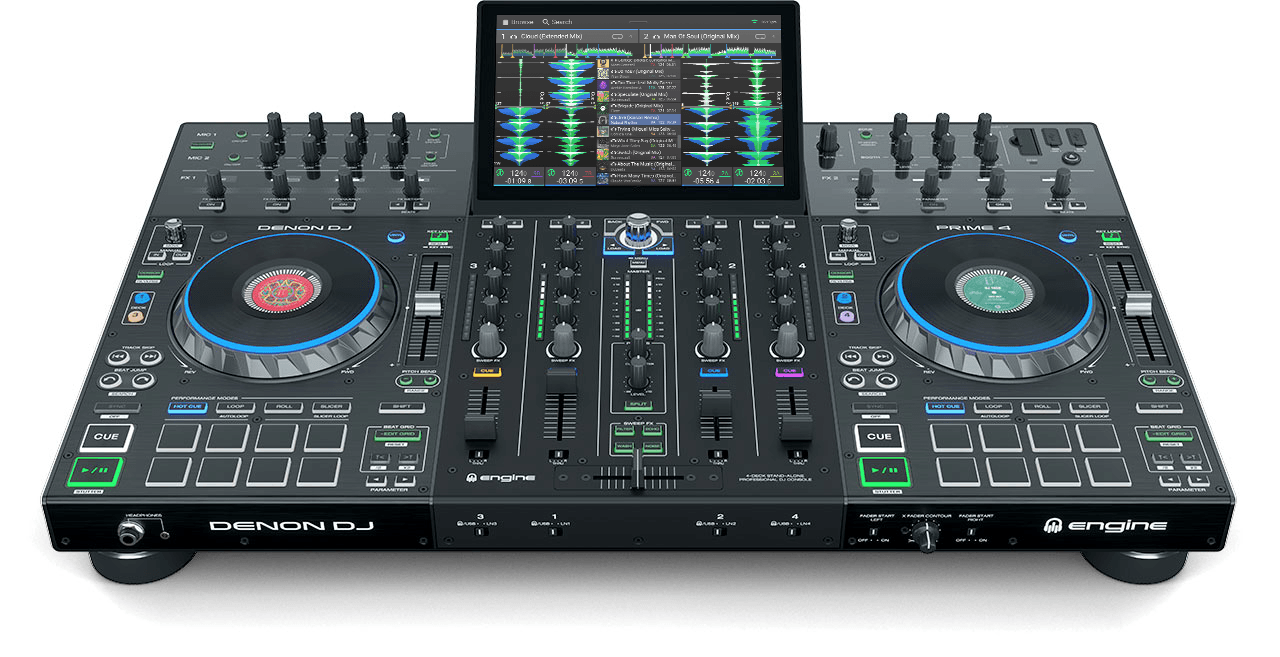
- 4 decks
- 10-inch touchscreen
- 4 USB ports + SD card
- internal drive bay
- Engine OS 3.x
What Alpha writes for the Prime 4
Alpha writes a standard Engine OS 3.x library straight onto the stick: the audio files, the interpreted metadata — BPM, musical key in Camelot notation, energy and loudness — and the playlist in exactly the order you built it. That is the format the whole Engine DJ family reads, so the drive plays the moment you plug it in. No Engine DJ desktop session, no re-analysis on the unit.
Before Alpha touches a stick that already has a library, it copies that library to your computer as a backup. Writing adds to what is on the drive — it never erases it — and a track that is already there is linked into the new playlist instead of being copied a second time. After writing, Alpha validates the result and lets you eject safely.
The Prime 4 is the four-deck flagship of the Prime family, with four USB ports, an SD slot and an internal drive bay. Alpha writes to the removable media — the USB stick or SD card you plug into your computer — and leaves the internal bay alone; that drive stays managed by the device itself.
From folder to Prime 4 in four steps
Good to know on the Prime 4
- Alpha prepares USB sticks and SD cards; the Prime 4's internal drive bay is not touched — it stays exactly as the device manages it.
- The unit re-analyzes nothing: Alpha's BPM, key and beatgrid load as-is from the Engine library on the stick.
- With four decks it's worth exporting more than one playlist to the same stick — Alpha adds each set to the library without duplicating tracks that are already on the drive.
Common questions about the Prime 4
Can Alpha write to the Prime 4's internal drive?
No — Alpha writes to removable USB sticks and SD cards you plug into your computer. The internal bay stays managed by the Prime 4 itself; play Alpha's set from the stick or migrate it with the device's own tools.
I want to move from rekordbox to Engine DJ on the Prime 4 — how?
Export your collection as a rekordbox XML. Alpha imports it, keeps the BPM, key and beatgrid rekordbox already worked out, and writes a native Engine OS library to the stick — no slow on-device rekordbox import, no shifting beatgrids.
Will my existing library on the stick survive a new export?
Yes. Alpha backs up the stick's Engine library to your computer before every write, then adds the new set. Duplicate tracks are linked instead of copied again.
What format should the stick be for the Prime 4?
exFAT or FAT32 — Engine OS does not read NTFS. Alpha never reformats your drive.
Try it with your own Prime 4
Every feature is in the free download — analysis, harmonic sequencing, loudness matching and the Engine DJ write. It stops after 10 tracks, which is enough for one real set on your own stick. After that it's €30 including VAT, once. No subscription.
Related players
Different setup? Check your own gear — or read the full technical reference in the knowledge base.