A rekordbox USB the CDJ-3000 reads natively — no rekordbox needed
The CDJ-3000 is what's waiting in most club booths — and it expects a rekordbox USB. Alpha writes that USB itself: library, beat grids, waveforms, artwork. No rekordbox subscription, no export session, no laptop. Analyze, sequence, write, play.
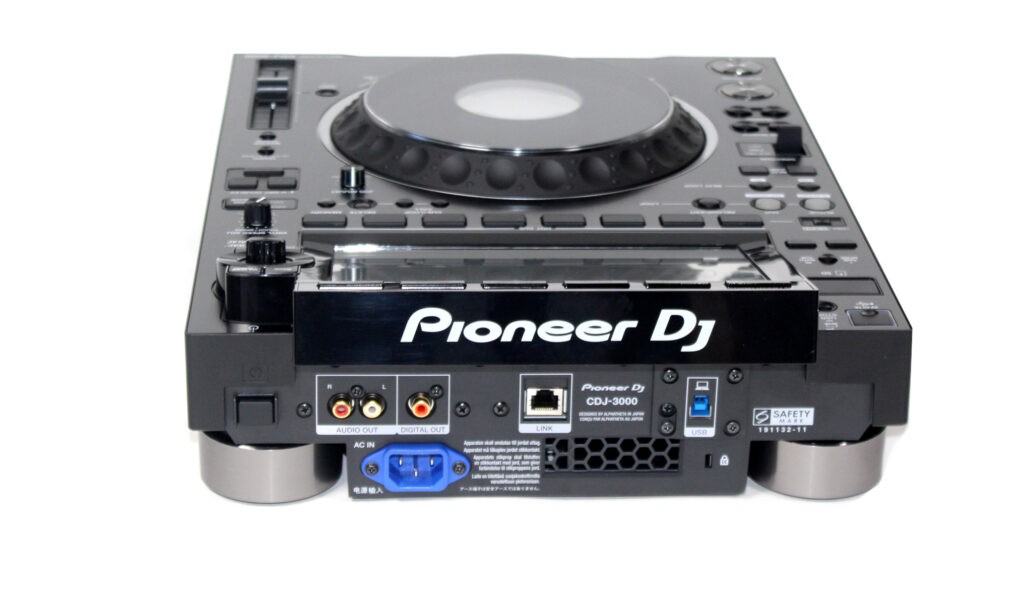
- club-standard media player
- 9-inch touchscreen
- USB + SD card
- rekordbox USB
What Alpha writes for the CDJ-3000
Alpha writes a full rekordbox USB the player reads directly: the classic export.pdb library every CDJ and XDJ has read for years, the newer encrypted exportLibrary.db the latest players prefer, the per-track analysis files with beat grid, cues and waveforms, album artwork, and the audio under Contents/<Artist>/<Album>. No rekordbox software is needed anywhere in the chain — the stick plugs straight into the gear.
The beat grid is built from the interpreted BPM, so tracks arrive beat-ready and the player does not re-analyze anything. One limit to know: Alpha writes one constant beat grid per track, so tempo changes inside a track are not modelled.
The CDJ-3000 is the newest generation of the club standard and prefers the encrypted exportLibrary.db — which Alpha writes alongside the classic export.pdb, so the stick works on the 3000 and on every older player in the same booth. Your playlists show up in the browse screen exactly as sequenced.
From folder to CDJ-3000 in four steps
Good to know on the CDJ-3000
- Alpha writes both rekordbox libraries — the classic export.pdb and the newer encrypted exportLibrary.db the CDJ-3000 prefers — so one stick serves new and old players alike.
- The player re-analyzes nothing: beat grid, waveform and cues come from the ANLZ files Alpha writes, so tracks load instantly.
- One constant beat grid per track — tempo changes inside a track aren't modelled, worth knowing for live-band edits.
- rekordbox export is a new target — please confirm it on your own gear before a gig.
Common questions about the CDJ-3000
Do I need rekordbox or a subscription to play Alpha's stick on a CDJ-3000?
No. The CDJ-3000 reads the rekordbox database from the stick itself, and Alpha writes that database directly — no rekordbox software, account or subscription anywhere in the chain.
Will the CDJ-3000 re-analyze my tracks?
No — BPM, beat grid, waveforms and cues are in the ANLZ analysis files Alpha writes, so tracks are ready the moment they load.
Can I use the CDJ-3000's SD card slot?
Yes — the CDJ-3000 reads the same rekordbox library from USB stick or SD card. Point Alpha's export at whichever is mounted on your computer.
Which filesystem should the stick use — FAT32 or exFAT?
Both work on the CDJ-3000: it reads FAT32 and HFS+, and exFAT since firmware 1.20. If the same stick must also play on older players like the CDJ-2000NXS2, stay on FAT32. Alpha never reformats your drive.
Try it with your own CDJ-3000
Every feature is in the free download — analysis, harmonic sequencing, loudness matching and the rekordbox USB write. It stops after 10 tracks, which is enough for one real set on your own stick. After that it's €30 including VAT, once. No subscription.
Related players
Different setup? Check your own gear — or read the full technical reference in the knowledge base.